An AI product video feels premium when it is built like a high end commercial: mostly tight detail shots of the product being touched, used and seen up close, lit from the side so the material shows its texture, with one simple action and one simple camera move per shot. The product also has to look exactly the same in every shot, so you generate everything from the same product reference images and check each frame against the real thing. Cheap AI product videos usually fail on the opposite of all four: wide shots, flat light, too much movement and a product that changes between cuts.
Key takeaways
- Premium is mostly built from inserts: tight shots of the touch, the material and the product in use.
- Light from the side reveals texture. Flat, even light makes every material look like plastic.
- One action and one simple camera move per shot. Restraint reads as expensive.
- The product must be identical in every shot. Work from the same reference images and check every frame against the real product.
- A 15 second premium ad needs only one wider shot. The rest is detail.
What makes a product video look premium?
Premium is not a filter or a style word you add to a prompt. It is the feeling that someone took care over every frame, and the audience reads that care through a few specific things: how close the camera gets, how the light falls on the surface, how calm the movement is, and whether the product looks real and consistent.
Think of how a good watch or perfume commercial is built. Almost nothing happens. A thumb turns a crown. Light moves across a bottle. A cuff slides back over a wrist. The film is slow, close and precise, and that is exactly what makes it feel expensive.
AI makes it very easy to do the opposite. You can generate a sweeping drone shot of a perfume bottle on a cliff in seconds, and it will look like every other AI ad. The premium version is harder to resist doing and much simpler to generate.
Why do insert shots matter so much?
An insert shot is a close-up that isolates a specific object, detail or action within a scene. In film it is the cut to the key in the lock or the note on the table. In product advertising, inserts carry most of the ad.
A wide shot shows that a product exists. An insert makes you want it. Weight, texture and craftsmanship only read up close, and the closer the frame, the more of the model's detail goes into the thing you are selling.
I plan inserts in three types:
- The touch. A hand interacting with the product. Opening, pressing, lifting, turning, sliding.
- The material. The surface up close. Brushed steel, leather grain, frosted glass, condensation, the weave of a fabric.
- The use. The product doing its job. The pour, the spray, the strap closing, the light switching on.
There is a practical reason too. A tight frame with one hand and one object leaves far less for the model to get wrong than a wide shot with people, a location and a moving camera. Inserts are both the premium choice and the reliable choice.
How do you light an AI product shot so it looks expensive?
Lighting is where most AI product videos lose the premium feel, and it is the part people think about least. Creative Tim's Seedance cheatsheet goes as far as saying lighting has the single biggest impact on quality of any prompt element.
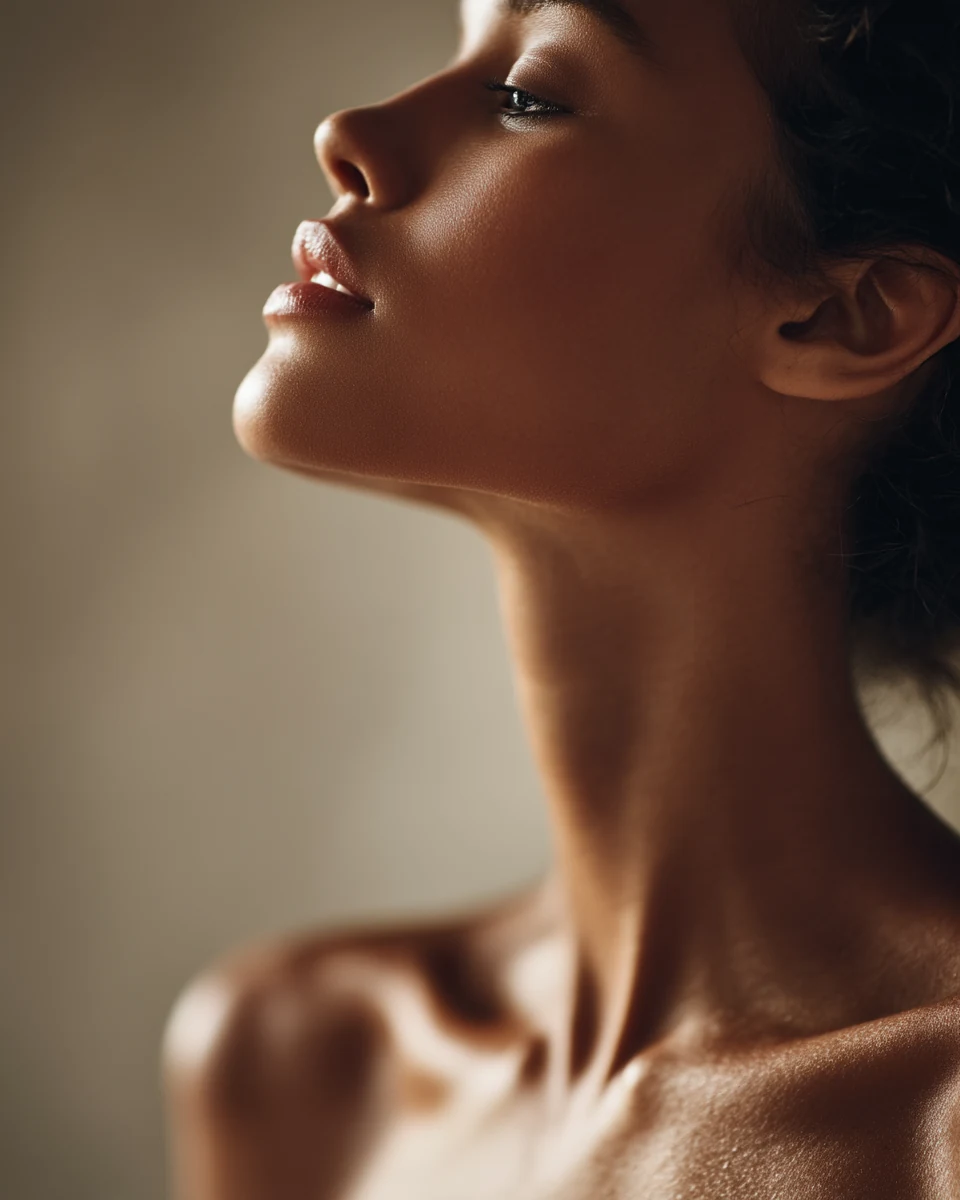
The light that sells materials is raking light. Museums use it to study paintings: the work is lit from one side only, at an oblique angle, and the National Gallery explains that this is used to reveal a painting's surface texture. Every tiny ridge catches light on one side and casts a shadow on the other.
Your product works the same way. Light from the front flattens the surface, so brushed steel, leather and ceramic all start to look like the same smooth plastic. Light from the side brings out the machining marks, the grain and the glaze.
When I write light into a product prompt, I always give it three things:
- A source. A window, a lamp, a low sun. Not "cinematic lighting".
- A direction. From the left, from behind, low and from the side.
- A quality. Hard and raking for texture, soft for glass and liquids, with deep shadow on the far side.
Shadow is half of it. Premium product images let parts of the frame fall into darkness so the eye goes to the lit surface. If everything is evenly lit, nothing is special.
I go deeper on light, including practical light and silhouettes, in How to Prompt Light in AI Images and Video.
Why does restraint make an ad feel more expensive?
Expensive brands move slowly. Cheap ads try to do everything at once: the camera spins, the product rotates, particles fly and the background changes. It reads as noise, and it is also where AI video breaks.
Creative Tim's Seedance cheatsheet warns that "fast camera plus fast subject plus a busy scene almost guarantees jitter and compression artifacts". In a product ad, jitter on a logo or a warped edge on a bottle is the fastest way to look cheap.
So I keep each shot to:
- One action. The thumb turns the crown. That is the whole shot.
- One simple camera move, or none. Locked off, a slow push-in, a slow slide or a rack focus. These are the moves current models pull off reliably. I cover what each one makes the viewer feel in AI Video Camera Movements: Which Ones Work and What They Make People Feel.
- One light source. Two competing lights give you two competing shadows and a flatter look.
If a shot feels boring on its own, that is usually fine. Premium ads feel slow shot by shot and rich as a whole, because the cuts do the work.
How do you keep the product identical in every shot?
This is the part brand owners care about most, and rightly so. A watch with a different number of markers in shot three, or a bottle whose logo shifts, is worse than no ad at all.
What I do:
1. Make clean product reference images first. Sharp, well lit photos of the real product on a plain background, before you generate anything. The CapCut guide to Seedance references gives good advice here: decide what cannot drift, then select one clean image that makes that priority obvious. For a product, that priority is the product itself, so the reference should show nothing else.
2. Don't overload the model with references. The same guide is clear that more references are not automatically better. Add a second image only when it shows something the first one doesn't, like the back of the product or the logo up close.
3. Build the first frame as an image. I generate or edit the opening frame of each shot as a still, with the real product in it, until it is exactly right. Then I animate it. A starting frame defines how the shot opens, while a reference image only guides the new scene, so starting from a frame you have already approved gives you far more control.
4. Keep the product's action simple. Complex rotations, opening mechanisms and hands doing a lot are where shapes start to change. If the product warps, simplify the motion before you rewrite the whole prompt.
5. Check every frame against the real product. References guide the model. They do not lock the product in place. So look for the logo, the number of markers, the crown position, the cap shape, the stitching. If one shot is off, regenerate that shot only.
I go through the same workflow for people in How to Keep a Character Consistent Across AI Video Shots. The logic is identical: the reference carries the identity, the prompt carries the scene.
How is a premium 15 second product ad structured?
Here is the structure I use for most short product ads. It has six shots, only one of them wide.
| Time | Shot | Job |
|---|---|---|
| 0 to 2s | Material macro | Hook. Something beautiful the viewer can't place yet |
| 2 to 4s | The touch | A hand meets the product |
| 4 to 7s | The use | The product doing its job, on a person |
| 7 to 10s | Detail with light | Light or focus moves across the product |
| 10 to 12s | Context | The one wider shot. Who, where, when |
| 12 to 15s | Hero | The product alone, still, space for the logo |
The opening follows the same logic as any good hook. I break that down in How to Hook Viewers in the First Two Seconds of an AI Video Ad.
Worked example: a 15 second ad for a steel watch
To make it concrete, here are the six shots for an ad for a steel automatic watch. Same product, same light direction and, wherever a surface shows, the same dark walnut, so the cut feels like one film. Product inserts can run shorter than story shots, because there is only one thing to read in them.
One detail from real watch advertising: the hands are almost always set to around 10:10. It gives a balanced, symmetrical look that frames the brand name under the 12, and an advertising professor quoted by Newsweek describes it as "two very strong lines pointing the eye toward the watch logo". I use it in the hero shot.
Shot 1: Material macro (0 to 2s)
Extreme macro of the brushed steel edge of a watch case, filling the whole frame so the watch is not recognisable yet. A hard raking light from the left skims across the surface, revealing fine parallel brushing marks and a sharp polished bevel catching a thin line of light. Deep black shadow on the right. Camera locked off, zero camera movement. Very shallow depth of field.
Shot 2: The touch (2 to 4s)
Extreme close-up of a man's thumb and index finger slowly turning the crown of a steel automatic watch resting on a dark walnut desk. Hard raking light from the left reveals the knurled edge of the crown and the brushed steel case. Only the fingers and the crown move. Camera locked off. Shallow depth of field, everything beyond the watch falls into darkness.
Shot 3: The use (4 to 7s)
Close-up of a man's wrist as he slides the cuff of a white cotton shirt back over a steel automatic watch, standing by a tall window at dawn. Soft directional light from the window on the left falls across the watch face and the fabric. Very slow, steady push-in from a close-up of the wrist to a tighter close-up of the watch face. Muted colours, deep shadow behind him, fine film grain.
Shot 4: Detail with light (7 to 10s)
Close-up of the dial of a steel automatic watch lying on dark walnut, the second hand sweeping smoothly. A narrow band of warm light slowly moves across the dial from left to right, catching the applied steel markers one by one. Camera locked off, the only movement is the second hand and the light. Shallow depth of field.
Shot 5: Context (10 to 12s)
Medium shot of a man in his forties sitting at a dark walnut desk by a tall window at dawn, writing in a notebook with a fountain pen, a steel watch on his left wrist. His shoulders are relaxed, his eyes follow the pen, he breathes out slowly through his nose. Soft window light from the left, the rest of the room in deep shadow. Camera locked off. Muted colours, fine film grain.
Shot 6: Hero (12 to 15s)
Close-up of a steel automatic watch standing upright on a dark walnut surface, the hands set to 10:10, angled slightly towards the camera. Hard raking light from the left reveals the brushed case and the texture of the dial, the background falls to black. Empty space above the watch for a logo. Very slow push-in, almost imperceptible. Shallow depth of field.
A few things to notice across the six:
- The light never changes direction. It always comes from the left. That is what makes six separate generations feel like one shoot.
- The surface repeats. Dark walnut in four of the six shots ties the film together.
- Only shot 3 and shot 6 move the camera, and both are slow push-ins. Everything else is locked off.
- The one person shot describes the body, not a mood. Relaxed shoulders and a slow breath out tell you more than "calm, confident man".
What makes an AI product video look cheap, and how do you fix it?
| Cheap look | Premium look | The fix |
|---|---|---|
| Product spinning on a turntable | A hand turning one part of it | Replace rotation with one human touch |
| Flat, even front light | Raking light from one side | Name a source, a direction and hard or soft |
| Everything evenly lit | Parts of the frame fall to black | Ask for deep shadow on the far side |
| Wide hero shots everywhere | Mostly inserts, one wide | Plan the touch, the material and the use |
| Camera flying around the product | Locked off or one slow move | One move per shot, nothing "fast" |
| Product changes between shots | Identical in every frame | Same reference images, check every frame |
| Busy background and props | One surface, repeated | Pick one surface and keep it |
| Glossy, too clean, AI smooth | Texture, grain, imperfection | Describe the material and add film grain |
What mistakes do brand owners make with AI product video?
- Starting from a prompt instead of the product. If you describe the product from memory, the model invents the details. Start from real product photos.
- Asking the model to do the whole ad in one go. Build it shot by shot. You can then regenerate the one shot that fails instead of the whole thing.
- Using "luxury" and "premium" as prompt words. They tell the model nothing specific. Light, material, distance and pace do.
- Changing the light between shots. It is the fastest way to make a cut feel like two different ads.
- Accepting a close enough product. Your customers know the product better than you do. If the logo is wrong, the shot is wrong.
- Judging on a big screen. Most people will see the ad on a phone. Check the macro shots at phone size, where texture either reads or disappears.
Checklist before you publish
- Is the product identical in every shot, down to the logo and the small details?
- Does the light come from the same direction in every shot?
- Can you see the material's texture in at least two shots?
- Does every shot have one clear action?
- Is the camera locked off or making one slow move?
- Is there only one wide shot?
- Does the hero shot leave room for the logo?
- Does it hold up at phone size with the sound off?
FAQ
Can AI make product videos good enough for a real brand? Yes, when they are built from real product reference images, shot by shot, and every frame is checked against the product. Tight, simple, well lit shots are where AI is at its strongest.
How do I stop my product from changing between AI shots? Generate every shot from the same clean product reference images, build the first frame of each shot as an image before animating it, keep the product's movement simple, and regenerate any shot where a detail drifts.
What lighting should I use for AI product shots? Light from one side, with a named source and a direction. Hard raking light reveals texture on metal, leather and ceramic. Softer light works better for glass and liquids. Always let part of the frame fall into shadow.
What camera moves work best for AI product videos? Locked off, a slow push-in, a slow slide or a rack focus. They read as premium and they are the moves current models handle reliably. Avoid fast or combined moves.
How many shots does a 15 second product ad need? Around five or six. Mostly inserts of the touch, the material and the use, with one wider shot for context and a still hero shot at the end.
Should I use a turntable spin for my product? I'd avoid it. It is the most common AI product shot, so it reads as generic, and full rotations are where product shapes are most likely to drift. A hand turning one part of the product is more human and more reliable.
Sources
- StudioBinder, "What is an Insert Shot": https://www.studiobinder.com/blog/insert-shot/
- The National Gallery, glossary entry "Raking light": https://nationalgallery.org.uk/paintings/glossary/raking-light
- Creative Tim, Seedance 2.0 prompt cheatsheet (lighting and jitter guidance): https://www.creative-tim.com/ui/cheatsheet/seedance
- CapCut, "How to Choose Reference Images for More Consistent Seedance 2.0 Mini Results": https://www.capcut.com/create/seedance-reference-images-consistent-results
- Magic Hour, "How to Use Seedance 2.0" (reference images vs starting frames): https://magichour.ai/blog/how-to-use-seedance-20
- Newsweek, on why watches in ads are set to 10:10: https://www.newsweek.com/ask-tip-sheet-105-120987
Want to direct AI video like this?
AI Unchained is my community for marketers, brand owners and filmmakers who want to direct AI video, not just prompt it. Every week we break down a film technique and put it into practice, there are three live calls a week, members get our prompt GPTs, and I reply to every piece posted in the Cinema Room the same day.
Running a brand or a content team? I also run in-company AI video workshops, so your team learns to make ads and social content in house.