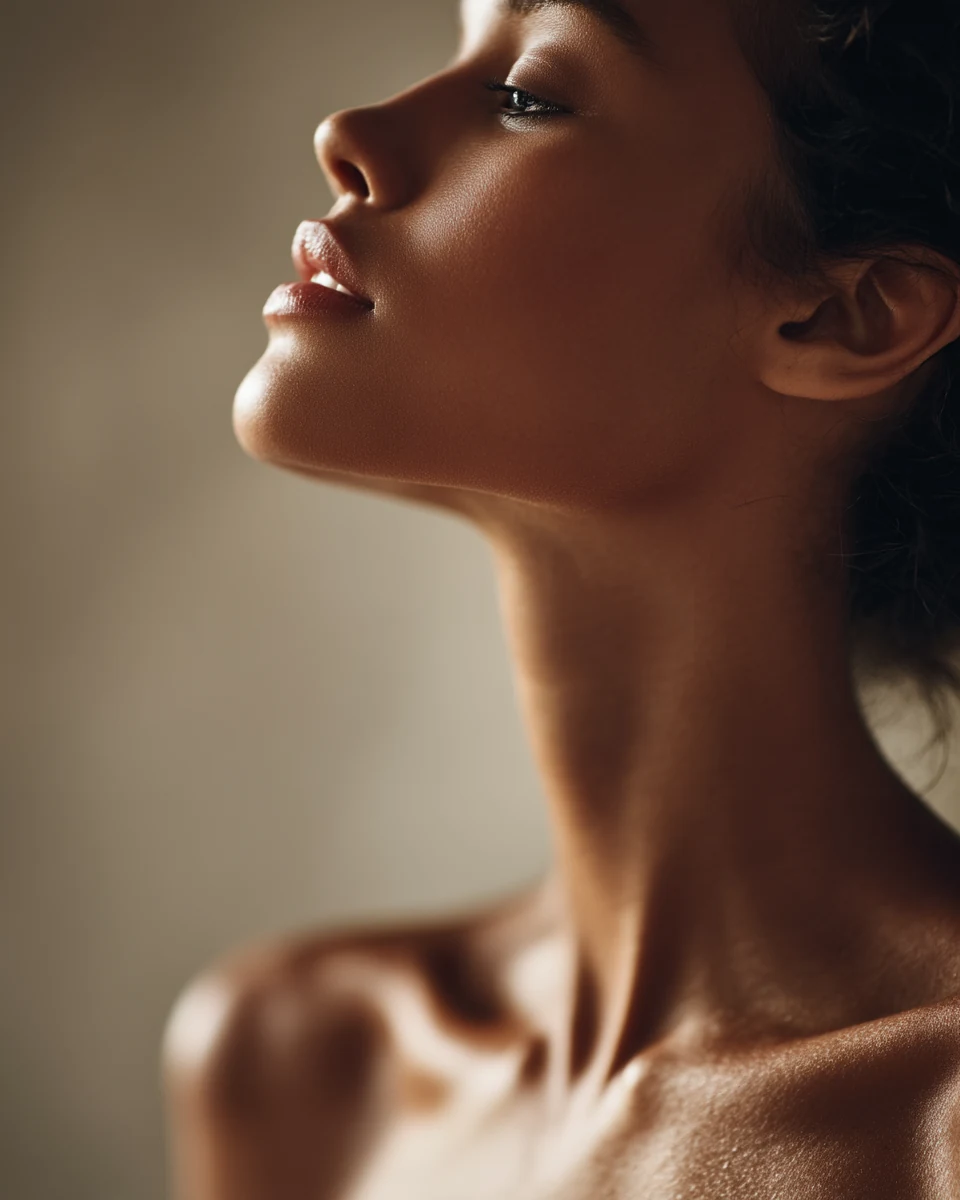
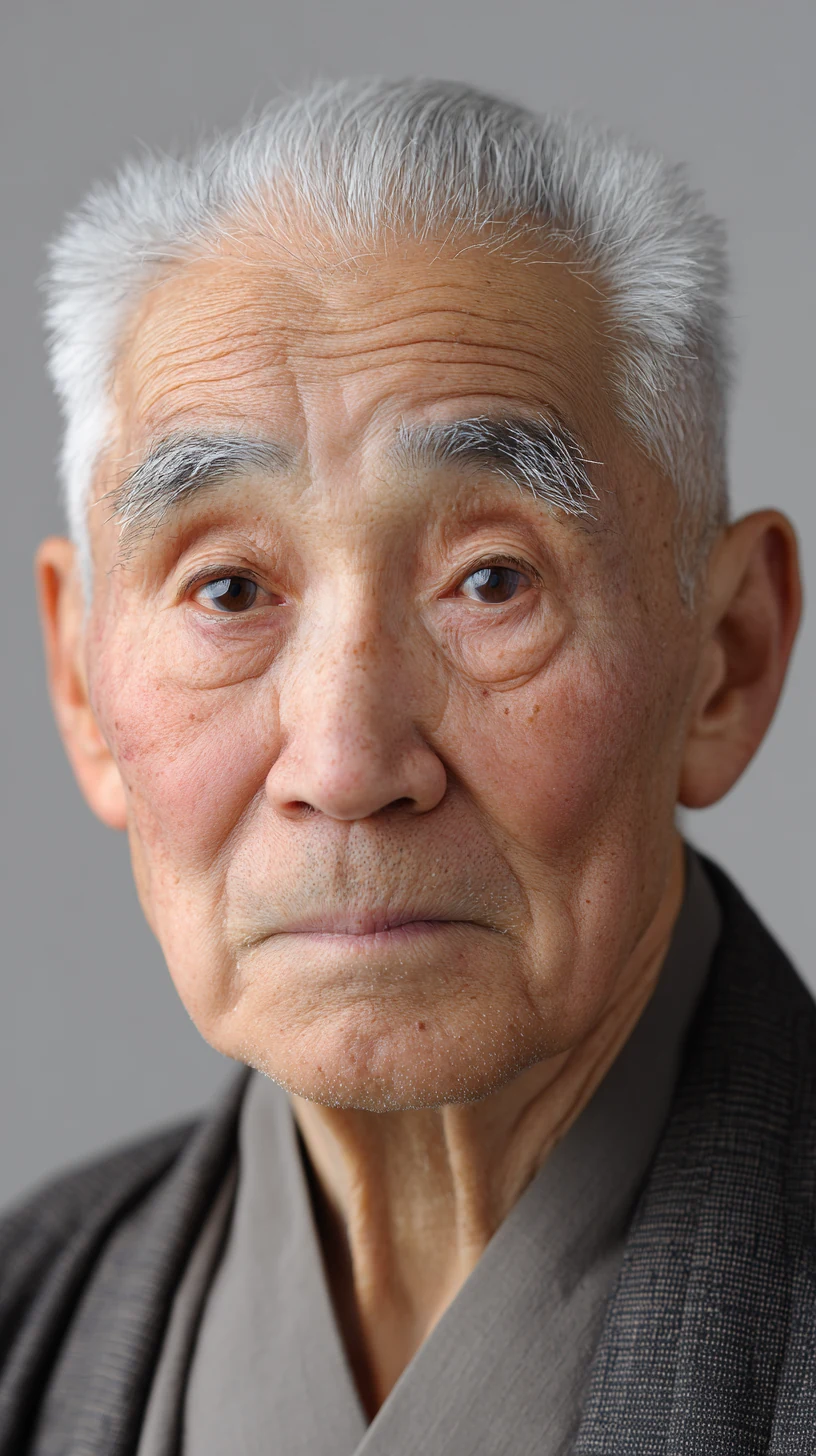
To keep a character consistent across AI video shots, treat it as a casting job before it is a prompting job. Cast one specific, distinctive face. Build clean reference images of that face, head on, on a plain grey background, lit with a hard light from the side so the skin texture reads. Turn those into a character sheet. Then generate a still for every shot from those references, fix the stills, and only then animate them, giving the video model the same references through its reference inputs. If you describe a character in words and generate each shot from scratch, the face will change. If you lock the face in images first, it holds.
Key takeaways
- Characters drift because every generation reinterprets the face. Images anchor it far better than words.
- Consistency starts with casting. A specific face with real features gives the model more to hold on to than a generic one.
- Reference images should carry identity only: neutral face, eyes to lens, plain grey background, and a hard side light for skin texture.
- Work image first. Get a still of every shot right, then animate.
- Current models all have some kind of reference input: Seedance takes up to nine images, Kling uses Elements, Veo 3.1 takes up to three reference images, and Nano Banana Pro can blend up to 14.
What is character consistency in AI video?
Character consistency means the same person looks like the same person in every shot of a video. Same face shape, same eyes, same skin, same hair, same age, same wardrobe. When it works, the audience never thinks about it. When it fails, the viewer feels it in the first cut, even if they couldn't tell you what changed.
One great clip is easy. Three clips where the same woman walks out of the house, sits at the table and looks out of the window is where most AI work falls apart.
Why do AI characters change between shots?
Every generation is a new interpretation. When you write "a woman in her seventies with grey hair", the model builds a face that fits those words. Next shot, it builds another face that also fits those words. Both are correct. They are just not the same woman.
Words leave too much room. There are millions of faces that match "grey hair, kind eyes, weathered skin". An image of one specific face leaves almost none. That is why every serious consistency workflow ends up being image based, and why all the major video models now accept reference images.
Why is consistency a casting job first?
There is an old saying in theatre and film that directing is 90 percent casting. It has been credited to a lot of directors. The earliest documented version comes from Robert Altman in 1977: "When casting's done, 90 percent of my creative work is done."
Casting matters because the face carries the story. Sergio Leone understood this. For Once Upon a Time in the West he cast Henry Fonda, the most trusted good guy in Hollywood, as a killer. When Fonda turned up with a moustache and dark contact lenses, Leone told him to take them off. He wanted the famous blue eyes, because the whole scene was built on the audience recognising that face.
In AI work, casting does a second job. In my experience, the generic faces are the ones that drift. If you ask for "a beautiful woman", you get a face built from the average of every beautiful woman the model has seen, and the next generation pulls towards a slightly different average. If you cast a woman with a crooked nose, a gap in her teeth, sun spots on one cheek and deep lines around her eyes, there are more specific features to hold on to, and they survive from shot to shot.
So I cast like a street casting director, not a model agency. Real people, specific details, nothing polished.
What is the workflow for consistent characters?
This is the workflow I use for every piece with a recurring character. It has five steps, and the order matters.
Step 1: Cast the character
Generate a casting image: one person, described in physical detail. Age, build, face shape, specific features, skin, hair, wardrobe. Generate several takes and pick the face you believe. Don't move on until you'd put that image in front of a client.
Step 2: Build reference images
Take the face you cast and rebuild it as a clean reference image:
- Head on, eyes to lens, neutral expression. No smile, no frown. The model needs the face, not a mood.
- Plain neutral grey background. No location, nothing for the model to copy into every scene.
- No eyeline and no scene lighting baked in. Those belong in the shot, not in the reference.
- A hard raking light from the side. This is the important one. A soft, flat, even light looks clean, but it carries no information about the skin. Pores, fine lines, freckles and peach fuzz only show up when light rakes across them. Give the model a reference with no texture and you get plastic skin in every shot afterwards.
Make one close-up reference of the face and one full length reference with the wardrobe.
Step 3: Make a character sheet
A character sheet puts everything on one page: a full length turnaround showing the front, the profile and the back, next to a grid of head shots with different expressions. It gives the model the character from every angle, and it gives you a single image to check every shot against.
Step 4: Generate a still for every shot
Before you animate anything, generate a still of each shot using your references. This is where you set the location, the light, the framing and the eyeline. An image model with strong reference handling does this well. Nano Banana Pro can blend up to 14 reference images and keep up to five people consistent.
Then fix the stills. If an ear is wrong or the cardigan changed colour, correct it with an edit. One rule I never break: always run the edit on the original image, with every correction folded into one pass. Never edit an edit. Each new pass on a generated image drifts a little further from your character.
Step 5: Animate with the references
Now take each still into your video model as the start frame, and give the model your references through its reference input as well. Keep the camera simple, a locked shot or a slow push, so the model spends its effort on the face and not on the move. If you want the full list of moves that hold up, I break them down in AI video camera movements.
What reference features do the main AI models have?
All the major models now have a way to pass in reference images. The names and limits are different:
| Model | Feature | What it takes | Worth knowing |
|---|---|---|---|
| Seedance 2.0 | Multimodal references | Up to 9 images, 3 videos and 3 audio files | Give each file a role in the prompt, like "use @Image1 for the character's appearance". Some platforms block references with clearly identifiable real faces. |
| Kling 3.0 | Elements | Two to four images, or a character video | Creating an Element isn't enough. You also have to bind it to the subject in that generation. |
| Veo 3.1 | Reference to video (Ingredients) | Up to 3 reference images | Built to combine a character, a product and a background into one scene. |
| Nano Banana Pro | Reference images | Up to 14 images, up to 5 people kept consistent | The best place to build the stills for each shot before you animate. |
Two practical notes from the Seedance guides that apply everywhere. First, one strong identity image, cropped so the face fills most of the frame, does more than several weak ones. Second, when you extend a clip over several generations, go back to the original character reference every few segments rather than building on the last output, so the drift doesn't stack up.
A word on real people. Use characters you cast with AI, or people who have given you permission. Get permission before you use a real person's likeness, and expect some platforms to refuse realistic faces from real photos anyway.
Worked example: one character, three shots
Here is the whole process for one character. The brief is a 15 second ad for a Portuguese tinned fish brand, with one woman who has mended fishing nets on the same harbour for fifty years.
The casting image
Medium shot portrait of a Portuguese woman in her seventies, small and wiry, deeply tanned and weathered face, a slightly crooked nose, deep lines fanning from the corners of her eyes, a small gap between her front teeth, sun spots across her left cheek, thick grey hair pulled back in a low bun with loose strands at the temples, wearing a faded navy wool cardigan over a black dress, gold hoop earrings, street cast not a model, documentary portrait, deeply detailed skin, no retouching, natural film grain.
Everything after this point is about protecting that face.
The reference image
Attach the casting image you chose as @img1.
Rebuild the woman in @img1 as a head on reference portrait. Same face, same features, same age: crooked nose, gap in her front teeth, sun spots on her left cheek, deep lines around her eyes, grey hair in a low bun. Head and shoulders, facing the camera straight on, eyes looking directly into the lens, neutral relaxed expression, mouth closed. Plain neutral grey studio background. One hard light from the left side raking across her face so every pore, wrinkle and sun spot is visible, with a clear catch light in both eyes. No other light sources, no location, no props.
The character sheet
Attach the reference image as @img1 and the casting image as @img2.
Character sheet of the woman in @img1, keeping her face exactly as in @img1 and her wardrobe exactly as in @img2. On the left, a full length turnaround of her standing: front view, side profile view and back view, on a plain neutral grey background. On the right, a grid of four head shots: neutral face; a small closed mouth smile with the corners of her eyes creasing; eyes narrowed against bright sun with her brow pulled down; looking down with her eyelids lowered. Same hard side light in every view, consistent hair, cardigan and earrings throughout.
Shot 1: the harbour
Attach the reference image as @img1 and the character sheet as @img2.
Medium wide shot of the woman from @img1 and @img2 sitting on a low stone wall at a small fishing harbour at dawn, an orange fishing net spread across her lap, a few small wooden boats behind her. She is looking down at the net. Soft early light from the sea on the right, cool shadows, her face and wardrobe exactly as in the references. Documentary photograph, natural film grain.
Shot 2: the hands
Close-up of the same woman's weathered hands pulling a needle of thick twine through the orange net, her fingers moving slowly and precisely, her face soft in the background at the edge of frame. Same dawn light from the right. Her cardigan and skin exactly as in the references. Shallow depth of field.
Shot 3: the look
Close-up of the same woman looking up from the net towards the sea off screen to the right. Her face exactly as in @img1, every line and sun spot visible. Warm low sun on the right side of her face. Shallow depth of field, harbour soft behind her.
Once the three stills are right, animate each one. Here is shot 3 in Seedance, with the still and the reference image attached:
Use @Image1 as the first frame and @Image2 for the woman's appearance. Camera locked off. She holds still for a moment, then lifts her eyes from the net towards the sea on the right. Her brow relaxes, the corners of her eyes crease slightly, and she lets out a slow breath through her nose. Her jaw stays relaxed. Wind moves a few loose strands of hair at her temple. Nothing else moves.
The emotion is written as what her face physically does, not as a feeling. I go deeper into why that works in how to direct emotion in AI video.
What drifts, and how do you fix it?
| What drifts | Why it happens | The fix |
|---|---|---|
| Face shape changes between shots | Each shot was generated from text alone | Generate every shot from the same reference images |
| Skin goes smooth and plastic | Reference images were lit flat | Rebuild the references with a hard side light |
| Same face, different age | Age only written in words | Put visible age markers in the casting: lines, spots, grey hair |
| Wardrobe changes colour or cut | Only the face was referenced | Add a full length reference and the character sheet |
| Face slowly morphs over a long sequence | Each clip built on the last output | Go back to the original reference every few segments |
| Character drifts after edits | Edits chained on top of edits | Always edit the original image, all fixes in one pass |
| Face changes during movement | Too much camera and subject motion | Lock the camera or use a slow push, keep the action small |
What mistakes break character consistency?
- Skipping the casting. Starting straight from a video prompt with a vague description is the single biggest cause of drift.
- Beautiful, generic faces. The more average the face, the more it slides between generations.
- Lit references. A reference with sunset light or a location baked in pulls that light into every shot.
- Smiling references. A smile in the reference becomes a smile in every shot, whether the scene wants it or not.
- Flat light on the reference. Clean looking, but it hands you plastic skin later.
- Editing the edit. Every pass on top of a generated image moves you further from the character.
- Animating before the stills are right. Video credits are expensive. Fix the face in the still, where it is cheap.
- Too much motion. Big camera moves and fast action give the model more chances to lose the face. More on keeping a shot believable in how to make AI video look real.
Checklist before you animate
- Is there one casting image you would show a client?
- Does the reference image show the face head on, eyes to lens, neutral, on plain grey?
- Is the reference lit with a hard side light so the skin texture reads?
- Does the character sheet show front, profile, back and a range of expressions?
- Has every shot got a still that matches the references?
- Were all corrections made on the original image, in one pass?
- Are the references attached to the video model with a clear role for each one?
- Is the camera move simple enough for the face to hold?
FAQ
How do I keep the same face in AI video? Cast one specific face, build head on reference images of it, generate a still for every shot from those references, then animate each still with the same references attached through the video model's reference input.
What is the best reference image for a consistent AI character? Head on, eyes to the lens, neutral expression, on a plain grey background, with a hard light from the side so the skin texture is visible. No scene lighting, location or eyeline in it.
Can I use a photo of a real person as a reference? Only with their permission. Some platforms also block references with clearly identifiable real faces, which is one more reason to cast your characters with AI.
Why does my AI character's skin look plastic? Usually the reference images were lit flat. Without light raking across the skin, there is no texture for the model to carry into later shots.
Which AI video model is best for character consistency? They all have reference inputs now: Seedance takes up to nine images, Kling uses Elements, and Veo 3.1 takes up to three reference images. The workflow matters more than the model. Good references and a still for every shot will improve any of them.
What is a character sheet in AI filmmaking? A single image showing the character in a full length turnaround from the front, the side and the back, next to a grid of facial expressions. It gives you and the model one source of truth for the character.
Sources
- Barry Popik, "Directing is 90 percent casting (theatre adage)", for the origin of the saying and the 1977 Robert Altman quote
- /Film, "Sergio Leone Knew Exactly What He Wanted From Henry Fonda's Once Upon A Time In The West Role"
- Luma AI Learning Center, "Seedance 2.0 Basics", for reference limits and @ tags
- Scenario, "Seedance 2.0: The Complete Guide", for reference roles, tight cropping and resetting to the original reference
- Kling AI, "AI video character consistency" quickstart, and Magic Hour, "Kling 3.0 Reference Guide", for Elements and subject binding
- Replicate, "Veo 3.1", for reference to video with up to three images
- TechRadar, "Google launches Nano Banana Pro", for 14 reference images and five consistent people
Want to direct AI video like this?
AI Unchained is my community for marketers, brand owners and filmmakers who want to direct AI video, not just prompt it. Every week we break down a film technique and put it into practice, there are three live calls a week, members get our prompt GPTs, and I reply to every piece posted in the Cinema Room the same day.
Running a brand or a content team? I also run in-company AI video workshops, so your team learns to make ads and social content in house.