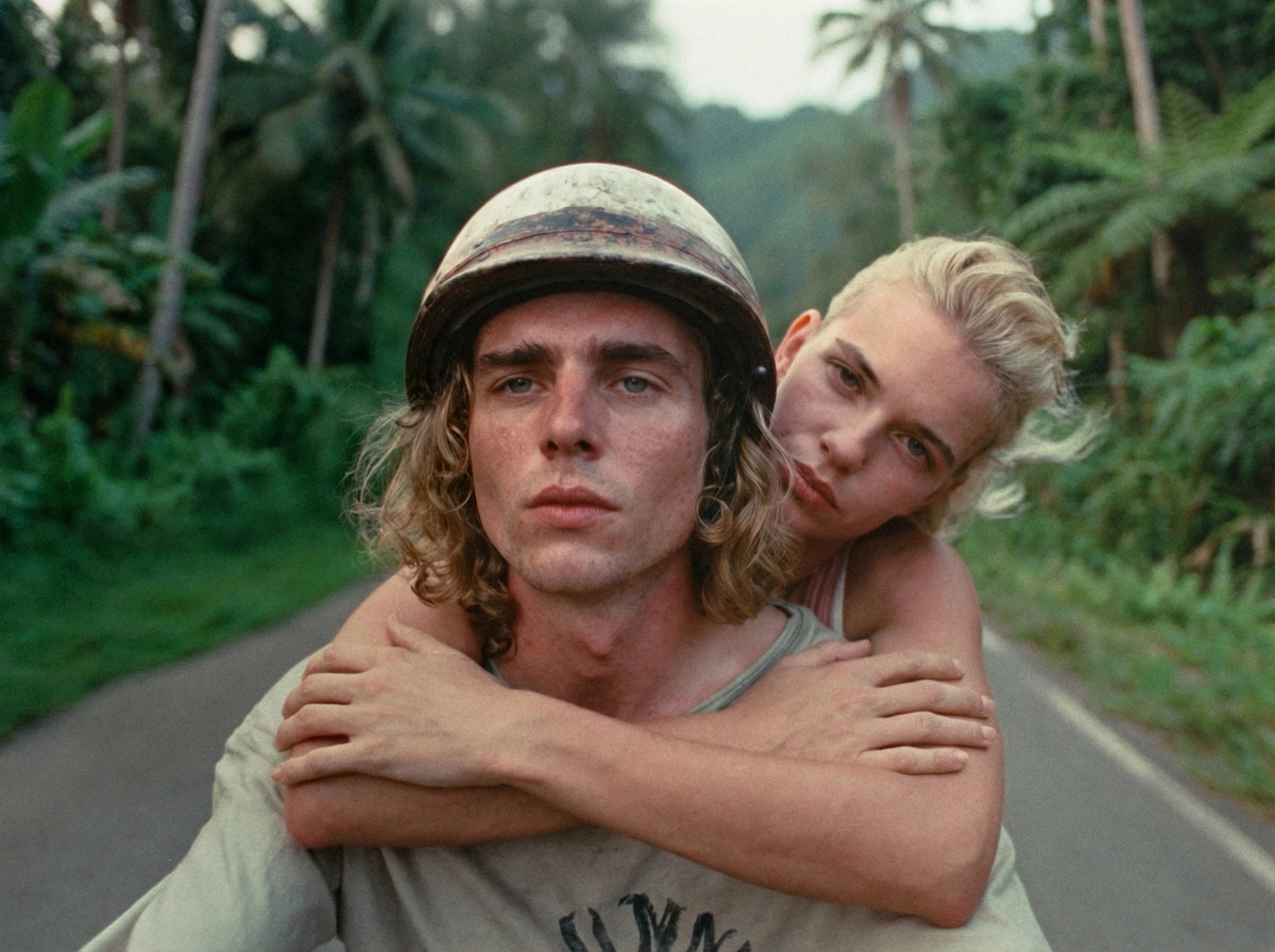
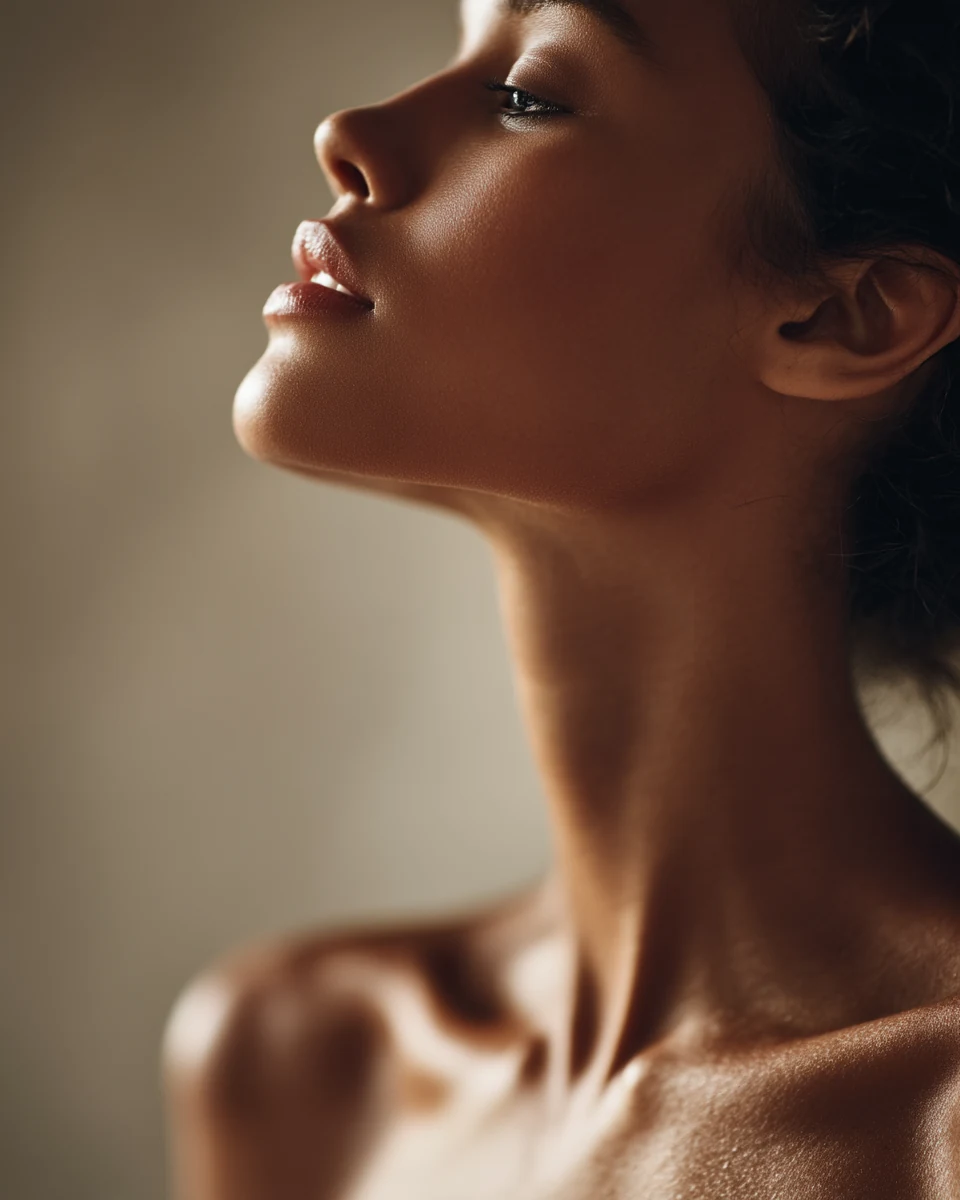
AI video looks like AI because, by default, a model simulates a camera nobody has ever filmed with: perfectly stable, perfectly sharp, lit from nowhere, with every colour turned up. To make it look real, direct it the way a real shoot works. Decide who is holding the camera, give the scene one real light source, ask for texture and small imperfections, and hold back on colour and movement. Realism doesn't come from the word "realistic". It comes from those four decisions.
Key takeaways
- The "AI look" is mostly a camera problem, a light problem and a restraint problem.
- Every shot has a point of view. Locked off, gimbal and handheld each tell the viewer who is watching.
- Light needs a source and a direction. Creative Tim's Seedance cheatsheet says lighting has the biggest impact on quality of any prompt element.
- Texture and small imperfections, like grain, skin detail and focus that has to find its subject, read as real.
- Hold back. Too much colour, too much movement and too much perfection are the quickest tells.
What makes AI video look like AI?
When people say a clip "looks like AI", they usually can't say why. When I break it down, it almost always comes from the same five things:
- A camera with no operator. Perfectly smooth, perfectly framed, floating through the scene like nobody is holding it.
- Light from nowhere. Everything is evenly lit, faces glow, and you can't say where the light is coming from.
- Plastic skin. Faces that are too smooth and too sharp at the same time. The team at invideo describes it well: models like Seedance can render skin "hyper-sharp, over-smoothed", which gives that glossy, waxy look.
- Colour turned up. Saturated skies, glowing oranges, teal shadows.
- Everything moving. Hair, clouds, people in the background, the camera, all at once.
None of these are model bugs you have to wait for someone else to fix. They are defaults. A model fills every decision you don't make with the most polished option it knows. Directing is making those decisions yourself.
Why does a perfect camera look unreal?
Because no person has ever filmed like that. Our brains have seen thousands of hours of footage shot by people: news, home videos, documentaries, phone clips. Real footage breathes. It drifts a little, reframes, and sometimes the focus is a beat late. When a camera has none of that, the viewer feels something is off, even if they can't name it.
This is what I mean by the camera as a character. Every shot has a point of view, even when no character is holding the camera. How the camera behaves tells the viewer where they are standing and who is watching.
| Camera | What the viewer reads | Use it for |
|---|---|---|
| Locked off | We are observers. Calm, composed, a little distant. | Premium products, calm moments, watching something happen |
| Gimbal | Polished and smooth. Controlled, expensive. | Luxury, fashion, anything that should feel effortless |
| Gentle handheld | Someone is there. It is happening now. | Realism, intimacy, documentary, social content |
None of these is more real than the others. A locked camera on a tripod is real too. What looks unreal is a camera with no point of view at all, gliding around because nobody decided what it was.
What directors have done with this
Spielberg wanted the Omaha Beach sequence in Saving Private Ryan to look like it was filmed by someone who was there. It was shot mostly handheld, and he told the Directors Guild he "wanted the camera to vibrate, with the image shaking to closely match the Robert Capa photographs of Omaha Beach that morning." The camera behaves like a combat photographer, so you feel like you are on the beach.
The Blair Witch Project pushed the same idea to the extreme in 1999. It was presented as found footage shot by the characters themselves, and the marketing was built around the idea that it really happened. A lot of people believed it. The camera did most of that work. When footage looks like someone filmed it, the audience reads it as witnessed.
That is the most useful thing to take from both films. A documentary camera can sell almost anything, even a ridiculous scene, because the viewer stops asking whether it is real and starts asking what happens next.
How do you prompt a camera that feels operated?
Decide who is holding it, then describe how they would hold it.
Handheld is a term the major video models understand. HeyGen's Seedance guide uses "handheld, slight natural shake" for its UGC and documentary styles, and Creative Tim's Seedance cheatsheet lists documentary-style handheld framing for "observational realism". The trick is describing the kind of handheld you want. "Shaky camera" on its own tends to give you random jitter.
Words that describe a person holding the camera:
- Documentary-style handheld framing for observational realism.
- Subtle handheld sway, as if the operator is breathing for intimate close-ups.
- The frame drifts slightly and recovers, which is what a real operator does.
- Focus briefly softens, then finds the subject, so the camera has to look for things like a person would.
Two rules keep it from falling apart:
- One camera move per shot. HeyGen's guide puts it as "one camera move per segment". Handheld plus a push-in plus an orbit gives you mush.
- Avoid "fast". Creative Tim's cheatsheet calls it "the most dangerous word in a Seedance prompt", because fast camera plus fast subject plus a busy scene "almost guarantees jitter". Jitter is one of the quickest ways to make a shot read as generated.
If you want calm instead, say so just as clearly: "camera locked off on a tripod, zero camera movement". I go through which moves models handle well in AI video camera movements.
How do you make light feel real?
Give it a source and a direction. Real light comes from somewhere: a window, a lamp, the sun low behind a building, the glow of a phone. It hits one side of a face harder than the other and leaves shadows where it doesn't reach.
Creative Tim's Seedance cheatsheet says lighting "has the single biggest impact on quality of any prompt element", more than style adjectives. In my experience that holds across models. "Cinematic lighting" is not a decision. "Grey morning light from a window on the left, the right side of his face falling into shadow" is.
Three habits that make light read as real:
- Name the source. Window, practical lamp, streetlight, open fridge, low sun.
- Name the direction. From the left, from behind, from above.
- Let the shadows be shadows. Say what falls into darkness. A frame with no dark areas has no light either.
Lighting deserves its own post, so I wrote one: How to prompt light in AI images and video.
How do you get real skin and texture?
Ask for the texture by name, and light it so it shows.
Texture only reads when light skims across it. A hard light from the side, what photographers call raking light, picks out pores, freckles, fine hair and the grain of a material. A soft even light from the front flattens all of it, and flat skin is exactly what reads as plastic.
Words that help:
- Visible skin texture, pores, fine lines, peach fuzz.
- Dry and unpolished, no retouching.
- Film texture. HeyGen's guide uses "35mm film grain" as a style cue, and Creative Tim's pairs "16mm film, handheld camera" with a raw indie look. Grain hides the over-sharp edges that give AI away.
If you start from an image, which I recommend, this is where it pays off. Get the texture right in the still, then animate it. If your reference images are lit flat, you are handing the video model plastic skin before you have even started. Light your references with a hard key from the side so the texture is there to keep. I explain the full setup in how to keep a character consistent across AI video shots.
Why does restraint matter so much?
Because the AI look is mostly too much: too much colour, too much movement, too much perfection.
Colour. For Saving Private Ryan, Spielberg didn't want "a Hollywood war movie in Technicolor", so the colour was drained by about 60 percent. Real footage is usually less saturated than people remember. Pushing colour to make a shot pop is one of the fastest ways to make it look generated. Ask for "muted colours", "natural colour" or "low saturation", and give the one colour that matters a reason to be there.
Movement. In a real scene most things are still. Decide what moves and say everything else doesn't. A still background with one moving subject reads as real. A background where every leaf, cloud and extra person is moving reads as a simulation.
Perfection. Perfect symmetry, perfect teeth, a perfectly clean kitchen, a model-perfect face on a fisherman. Real places are a bit worn. Ask for scuffs, crumbs, a chipped mug, a street cast rather than a model.
Worked example: the default prompt vs the directed prompt
Same scene, two prompts. A baker taking the first loaves out of the oven before the shop opens.
The default prompt, the way most people write it:
Cinematic shot of a baker taking bread out of an oven, ultra realistic, 4k, highly detailed, beautiful lighting, dramatic, vibrant colours, camera moving around him.
The directed prompt:
Documentary-style handheld medium close-up of a baker in his fifties sliding a wooden peel into a stone oven before dawn, subtle handheld sway as if the operator is breathing, the frame drifts slightly right and recovers. The only light is the orange glow from the mouth of the oven on the left and grey blue dawn through a small window behind him. Flour on his forearms, visible skin texture, sweat at his hairline. His jaw sets as he lifts the loaves, then he breathes out slowly through his nose. Focus is briefly on the edge of the oven, then finds his hands. Steam rises from the bread. Nothing else in the room moves. Muted colours, low saturation, 16mm film texture, fine grain.
What changed, and why:
| Default | Directed | Why it reads as more real |
|---|---|---|
| "Cinematic shot", "camera moving around him" | Documentary-style handheld, slight sway, drifts and recovers | The camera has an operator and a point of view |
| "Beautiful lighting, dramatic" | Oven glow from the left, dawn through a window behind | Light has a source, a direction and a time of day |
| "Ultra realistic, highly detailed" | Flour on forearms, skin texture, sweat at the hairline | Specific texture instead of a quality word |
| No performance | Jaw sets, breathes out through the nose | The body does something real, written as what the muscles do |
| Everything sharp | Focus on the oven edge, then finds his hands | The camera has to look for things, like a person would |
| "Vibrant colours" | Muted colours, low saturation, 16mm grain | Holds back on the most common tell |
| Nothing said about the room | Steam rises, nothing else moves | One clear movement, a still world |
Notice the directed prompt never says "realistic". It describes the conditions that make footage real, and the model simulates those.
What can you fix after generation?
Most of the realism should be in the generation. You can't add a light source the shot doesn't have. But a light finishing pass helps. invideo's creative team suggests adding grain and a touch of softness over the image, and pulling saturation down slightly in the edit to get away from the AI default. I'd add one more: cut early. The longer a generated shot runs, the more chances it has to show itself. Use the strongest two or three seconds.
What mistakes give AI video away?
- Writing "realistic" instead of directing. The word does almost nothing. The camera, the light and the texture do the work.
- A camera with no point of view. Floating, orbiting, gliding. Decide who is holding it.
- Light from nowhere. If you can't point to the source, neither can the viewer.
- Flat light on faces. It removes texture, and skin with no texture reads as plastic.
- Over-saturation. Pull it back. Real colour is quieter than you think.
- Everything moving at once. Pick what moves. Keep the rest still.
- Asking for fast movement. It brings jitter, and jitter is the first thing people notice.
- Holding the shot too long. Use the best seconds, not all of them.
Checklist before you publish
- Can you say who is holding the camera, and is that clear in the shot?
- Can you point to where the light is coming from?
- Is there texture you could almost touch: skin, fabric, flour, rust?
- Is there at least one small imperfection: grain, drift, a focus beat, a worn surface?
- Is the colour quieter than your first instinct?
- Is only what matters moving?
- Did you watch it at phone size, then once more without sound?
FAQ
How do I make AI video look more realistic? Direct the conditions that make footage real instead of writing "realistic". Decide who holds the camera, give the scene one light source with a direction, ask for real texture, and hold back on colour and movement.
Why does AI video look plastic? Mostly because of flat light and over-smooth skin. Models often render skin too smooth and too sharp at the same time. A hard light from the side, texture words like pores and fine lines, and film grain all help.
Does handheld make AI video look more real? It can, because it tells the viewer someone was there filming. Describe the kind of handheld you want, like a slight sway or a frame that drifts and recovers, rather than just "shaky camera", and keep it to one camera move per shot.
What prompt words make AI video look like film? Film texture words such as 16mm or 35mm film grain, muted colours, a named light source and documentary-style framing. They push the model away from its polished default.
Should I fix realism in the prompt or in editing? In the prompt first. Light, texture and camera behaviour have to be in the generation. Editing can add grain, soften the image slightly and pull back saturation, but it can't add light that isn't there.
Does a locked-off camera look less real than handheld? No. A tripod shot is completely real. What looks unreal is a camera with no point of view. Locked off says we are observing, handheld says someone is there. Choose on purpose.
Sources
- Directors Guild of America, "Shot to Remember: Saving Private Ryan" (Spielberg on the handheld camera, shutter and colour of the Omaha Beach sequence): https://www.dga.org/craft/dgaq/issues/1103-fall-2011/shot-to-remember-saving-private-ryan
- GamesRadar, "How The Blair Witch Project changed movie marketing forever": https://www.gamesradar.com/how-the-blair-witch-project-changed-movie-marketing-forever
- Creative Tim, Seedance prompt cheatsheet (camera terms, lighting, jitter): https://www.creative-tim.com/ui/cheatsheet/seedance
- HeyGen, Seedance 2.0 prompting guide (handheld, one camera move per segment, film grain): https://www.heygen.com/blog/seedance-2-0-prompting-guide
- invideo, "Why does AI-generated video look plasticky or fake?": https://invideo.io/faq/why-does-ai-generated-video-look-plasticky-or-fake-and/
Want to direct AI video like this?
AI Unchained is my community for marketers, brand owners and filmmakers who want to direct AI video, not just prompt it. Every week we break down a film technique and put it into practice, there are three live calls a week, members get our prompt GPTs, and I reply to every piece posted in the Cinema Room the same day.
Running a brand or a content team? I also run in-company AI video workshops, so your team learns to make ads and social content in house.